
Digitizing a stash of sewing patterns can feel like tackling a mountain, but a good system turns chaos into calm. This guide walks you through tools, methods, and habits that make your patterns easy to find, print, and use—without losing the quirks that make your collection unique.
Why go digital at all?
Paper patterns work, but they take space, fade, and get lost in the shuffle. Scanning or saving patterns as files reduces physical clutter and gives you instant access from your computer or phone.
Digital organization also speeds up project planning, lets you share or sell patterns online easily, and makes version control simple. Rather than rifling through drawers, you can search by garment type, size, season, or any tag you choose.
Decide on goals before you start
Begin by asking what you want from a digital system. Do you need searchable archives, backup copies, printable pieces, or a way to sell patterns? Clear goals shape the tools and structure you’ll use.
Set priorities that fit your workflow. If you sew on the go, cloud access matters. If you alter patterns often, a system that tracks versions and notes is essential. Write down two or three must-haves before converting anything.
Essential tools and hardware
Good results start with the right gear. A flatbed scanner gives crisp, distortion-free scans for small to medium pieces, while a large-format scanner or copier handles tissue patterns and full-size sheets.
Don’t underestimate a modern phone camera; with a tripod and diffused light, you can capture large pattern pieces and sewing charts. Pair that with image-editing software to correct perspective and stitch images together.
On the software side, you’ll want a PDF editor, an image editor, and a file manager that supports your naming and tagging scheme. For more advanced users, pattern-drafting software can convert scans into editable patterns.
Choosing file formats
PDF is the standard for finished pattern files because it preserves layout, scaling, and vector lines. It’s ideal for printing, sharing, and adding layers for sizes or markings without altering the base file.
JPEG or PNG files work well for photos of pattern pieces, instruction pages, or color swatches. Use TIFF only if you need lossless archival images; the files are large and often unnecessary for everyday use.
If you use specialized drafting programs, keep both the native file and exported PDFs. The native files let you edit later, while the PDFs serve as universal, print-ready copies.
Scanning: techniques and tips
Scan at 300 dpi for general pattern pieces and 600 dpi for fine markings or printed instructions you might enlarge. Use grayscale for most tissue patterns and color for instruction pages or printed fabric diagrams.
For oversized pieces, scan in sections with overlapping margins and stitch them together in an editing program. Mark the overlap on the tissue when you capture it to make alignment easier later.
Flatten the tissue as much as possible without stretching. Place a clean white sheet under translucent pieces to enhance contrast and make seam lines stand out. Keep a lint roller handy to remove stray fuzz before scanning.
Photographing patterns: a quick method for large pieces
When a scanner isn’t available, photography can be faster. Arrange pieces on a smooth, neutral backdrop and shoot from directly above with the camera parallel to the floor to minimize distortion.
Use natural, diffuse light or a tented light setup to avoid harsh shadows. Include a ruler or scale marker in the frame to help with later printing and scaling accuracy.
Process photos to correct perspective and color, then export as high-resolution JPEGs or PNGs. If you’re capturing multiple pieces, keep each image clearly labeled before moving to the next step.
Designing a folder structure that actually works
A predictable folder hierarchy is the backbone of digital organization. Start broad and get more specific: for example, Patterns > Dresses > Vintage > 1950s. This layout helps you browse visually and mentally.
Decide whether to organize by type, season, size, pattern company, or project. Many sewists find a hybrid system helpful—top-level folders by garment type with subfolders for company or size.
Keep folder names short but informative, and avoid special characters that can confuse devices. Use leading numbers for order if you need a custom sequence, like 01_Working, 02_Completed, 03_Wishlist.
Naming conventions: searchable and consistent
A file name is more powerful than you might think. Include key attributes: pattern name, company, size range, and version or year. For example: WillowDress_SewSimple_6-14_v2.pdf.
Use underscores or hyphens instead of spaces to ensure compatibility across platforms. Keep the most important information at the beginning of the file name so it appears in alphabetical listings.
Create a short reference document that lists your naming rules and examples. Tuck that file into the root folder so you can consult it whenever you add new patterns and avoid drift over time.
Tagging and metadata for fast retrieval
Tags let you slice your library in ways folders can’t. Assign tags for fabric type, season, skill level, adjustments performed, or intended recipient—anything you might search later.
Most operating systems and many cloud services allow tagging or adding comments to files. If yours doesn’t, use a master spreadsheet or a simple database to hold metadata linked to each filename.
Keep a consistent tag list and avoid synonyms that fragment results. For instance, choose either “knit” or “stretch” and stick to it so searches return all relevant files without misses.
Using a catalog or spreadsheet to track your collection
A centralized index is a lifesaver for large collections. A spreadsheet works wonderfully: fields can include filename, tags, sizes, fabric suggestions, project notes, and a link to the file location.
Set up columns for purchase date, cost, and license terms if you buy commercial patterns. This makes it easier to find patterns eligible for resale or redistribution and to track version changes.
For more advanced needs, consider a simple database or a pattern management app. These can provide richer search, image previews, and integration with cloud storage for a polished workflow.
Templates and consistent documentation
Create a template for pattern entries that includes the fields you use most—measurements, fabric yardage, alterations, tester feedback, and recommended notions. Fill it out the first time you use a pattern.
Keep a short “project log” attached to each pattern file with dates and quick notes like “shortened bodice 1” or “used French seams.” Over time this forms a personal knowledge base you’ll thank yourself for.
Save the template as a PDF or a text file and copy it into new pattern folders. A little upfront discipline saves hours of rediscovery later.
Layering PDFs for sizes and markings
One of the advantages of digital patterns is the ability to separate sizes and markings into layers. Create one PDF with size layers that can be toggled on or off for printing only the needed size.
Use vector-based PDF editors to build clean, scalable lines. Label each layer clearly and include a legend in the file so printers know what each line weight and color signifies.
For multi-size patterns, provide a “single-size” printable that users can download directly. This improves usability and reduces confusion during cutting and taping.
Scaling and printing accurately
Before printing pattern pieces, always check scale by printing the built-in test square or calibrating your printer. A tiny mismatch can cause big fitting problems later on.
Offer printing instructions in each pattern folder. Note whether users should print at 100% or “actual size,” and specify tile settings for home printers versus plotter or copy shop printing.
When printing at a copy shop, export a single-page PDF with all pieces nested to scale if possible. This reduces interpretation errors and speeds up the job at the printer.
Version control and change logs
Treat patterns like code: version them. When you make alterations, save a new file with a version number and log the changes in a change-history document. This preserves your original and tracks improvements.
If you frequently adjust patterns for fit, maintain a “working” folder where the latest editable files live, and an “archive” folder for finalized versions. Keep date stamps or semantic versioning like v1.0, v1.1, etc.
For collaborative projects, use cloud-based documents that show edit history so you can see who changed what and when. This avoids duplicate edits and confusion when multiple testers work on a pattern.
Backup strategies: redundant and reliable
Files are only safe when you have more than one copy. Follow the 3-2-1 rule: three copies of your data, on two different media, with one off-site copy. This reduces the risk of catastrophic loss.
Use an external hard drive for local backups and a cloud service for off-site redundancy. For large pattern libraries, consider a second cloud provider or an automated NAS (network-attached storage) at home.
Schedule automatic backups and test restores occasionally. A backup is only useful if it actually restores the files in usable form when you need them.
Cloud storage: choosing a provider
Cloud storage gives you access across devices and an extra safety net. Popular choices include Dropbox, Google Drive, and OneDrive; all offer synchronization and basic sharing features.
Compare costs, storage limits, and file-type compatibility. Also check how the provider handles version history, as this can substitute for some manual version-control tasks.
If privacy matters, read the terms of service and consider encrypting sensitive files before uploading. Some pattern designs carry licensing restrictions that require extra care.
Sharing, selling, and licensing patterns online
Digital patterns are easy to sell, but licensing and attribution matter. Decide whether you’ll allow commercial use, modification, or redistribution, and state terms clearly in a license file.
Use a consistent package format for digital sales: the pattern PDF(s), a separate instructions PDF, a license.txt, and a thumbnail image. This makes downloads predictable for customers and simple to manage for you.
For marketplaces, include metadata like skill level, fabric suggestions, and printable sizes in the product description. Clear information reduces returns and increases customer satisfaction.
Protecting your work: watermarking and origin stamps
If you publish patterns, watermark previews and include a small origin stamp in draft images to deter casual copying. Avoid watermarking final PDFs that customers will use—this degrades the sewing experience.
Keep high-resolution originals with embedded metadata showing your name and copyright date. These invisible markers can help establish ownership if disputes arise.
Consider offering low-resolution, watermarked images as previews and delivering clean files only after purchase or verification. This balances visibility and protection.
Workflow for new patterns: an efficient pipeline
Create a repeatable pipeline for new patterns: scan/photograph, clean and stitch images, save a working copy, export a consumer PDF, create metadata, and add to the master catalog. Consistency saves time.
Set up a “new pattern” folder template that includes blank fields for notes, an image folder, and placeholders for pattern files and instructions. Copy this template for each new addition to keep organization uniform.
Reserve time each week to process recent acquisitions or projects so your backlog doesn’t become overwhelming. Small, regular efforts beat occasional marathons when it comes to digital upkeep.
Maintaining a tidy pattern library
Schedule periodic maintenance—quarterly or biannually—to review tags, purge duplicates, and update metadata. This prevents tiny issues from ballooning into a mess that’s hard to repair.
During maintenance, remove or archive patterns you no longer use and refine tags that are underperforming. Consider consolidating similar files and merging notes into a single authoritative entry.
Maintain a “to review” folder for patterns you want to revisit. That keeps your active library lean while preserving interesting designs for future inspiration.
Troubleshooting common problems
If printed pieces don’t match after scaling, check both the PDF settings and your printer’s scaling. Many printers default to “fit to page,” which changes dimensions; set them to actual size or 100% to avoid this.
When files become corrupted, try opening them in a different viewer or restoring an earlier version from your backups. Keep a few older copies so you can revert if necessary.
If tags and folders stop making sense, pause and rework the system before adding more. Patchwork fixes compound over time; a short reorganization session saves far more time in the long run.
Integration with pattern drafting and CAD tools
If you design or heavily alter patterns, a CAD program can turn scanned lines into editable vectors. Programs vary in complexity; choose one that fits your level of commitment and budget.
Export your final designs as layered PDFs so both you and your customers can view and print them easily. Keep editable project files in a separate “source” folder for future revisions.
For makers who teach or collaborate, exporting DXF or SVG files as optional downloads can broaden how users work with your designs. Provide clear instructions for using these formats with common plotters or cutters.
Real-life examples and lessons learned
When I first digitized my grandmother’s pattern collection, I underestimated the time required to clean up yellowed tissue and handwritten notes. I learned to schedule small, focused sessions rather than marathon scanning days.
One useful trick I adopted was photographing large pieces on a painted plywood board marked with a 1-inch grid. The grid made alignment and scaling straightforward when stitching images together later.
Another lesson came from selling my first digital pattern: clear, simple instructions and a printable single-size option reduced customer questions and returns more than I expected. Invest in clarity up front.
Accessible design: making patterns usable for all
Consider creating alternate instruction formats for different learners—photo tutorials, step-by-step captions, or short video clips. These make patterns more approachable and broaden your audience.
Include measurements in both imperial and metric units when possible. Small details like an accessible font size and high-contrast diagrams improve usability for many sewists.
When documenting fit changes, use clear images and notes that others can follow. A well-documented pattern is a more valuable one—both to you and to anyone you share it with.
Checklist: a step-by-step process to get started
Follow this practical sequence to begin digitizing and organizing your patterns without feeling overwhelmed:
- Define goals and required features for your system.
- Gather tools: scanner, camera, tripod, and editing software.
- Create a folder template and naming convention document.
- Scan or photograph patterns in manageable batches.
- Clean and export files to PDF with consistent layers and naming.
- Tag files and enter metadata into a master spreadsheet.
- Back up to local and cloud storage and schedule regular maintenance.
Working methodically through these steps keeps the process achievable and reduces friction at each stage.
Sample folder structure and naming table
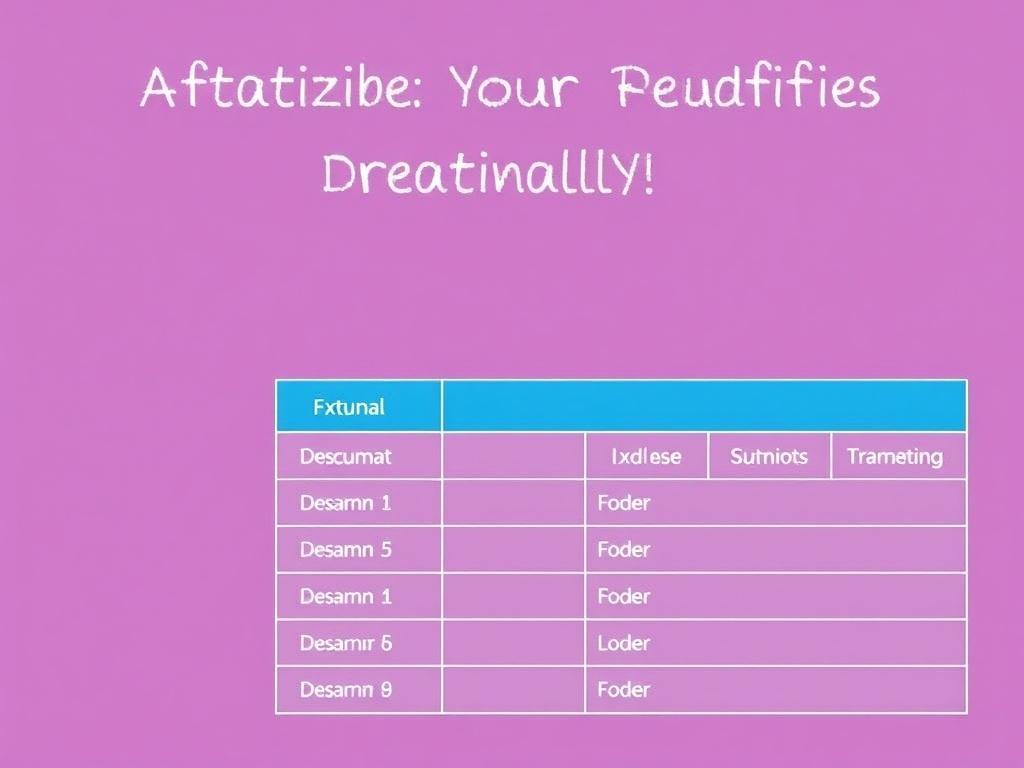
Below is a compact example structure to inspire your own setup. Adapt the categories to suit the types of sewing you do most often.
| Top-level | Subfolders | Example filename |
|---|---|---|
| Patterns | Dresses / Knit / 2020 | WillowDress_SewSimple_6-14_v1.pdf |
| Patterns | Jackets / Outerwear / Waterproof | HarborCoat_RainReady_10-18_v2.pdf |
| Patterns | Accessories / Bags | MarketTote_Hemlock_OneSize.pdf |
This table is a starting point; build variations for pattern companies, testers, or work-in-progress items as needed.
Habits that keep the system working
Small, consistent habits preserve the system. File new patterns immediately, add tags when you save them, and jot a one-line note after you complete a project so the information doesn’t evaporate.
Set a weekly 15–30 minute slot to process recent additions or tidy the “inbox” folder where new scans land. Routine prevents backlog and keeps your digital studio feeling usable.
Remember that a system is only as good as its adoption. Tailor it to how you actually work, not to an idealized version of yourself. Practical wins beat perfection every time.
When to go hybrid: keeping some paper
Not everything needs to be scanned. Keep original tissue for heirloom patterns or designs you plan to alter extensively. Label the physical pattern with the digital filename so the two stay connected.
For patterns you frequently use, preserve a ready-to-cut paper copy in a clear sleeve labeled with its digital counterpart. This hybrid approach combines the convenience of digital with the tactile benefits of paper.
Use digital versions for backups and sharing, and retain paper copies for sentimental value or complex multi-layered designs that are easier to manipulate physically.
Final tips and encouragement
Start small and iterate. You don’t need to digitize your entire collection in one weekend—pick a category and build out from there. Each completed folder is a motivation engine that fuels the next session.
Document your process and tweak it as you go. Over time you’ll refine naming, tagging, and backup strategies that truly reflect how you sew and search.
Whether you’re archiving family patterns or building a business, a thoughtful digital system pays dividends in time saved and creative freedom gained. Tidy files lead to more making—and more joy at the sewing table.